
Amazon international growth
International / marketplace expansion
Turn a working source-market catalog into localized listings for new Amazon marketplaces. Perci translates the product content, researches how customers search in each market, and prepares the localized catalog as one batch.
What this workflow produces
- Translated titles, bullets, descriptions, and product information
- Keyword research based on searches in each target marketplace
- Copy adapted to local marketplace limits, restricted phrases, spelling, and conventions
- Market-specific listing data ready for review and deployment
Step 1
Select the source listings
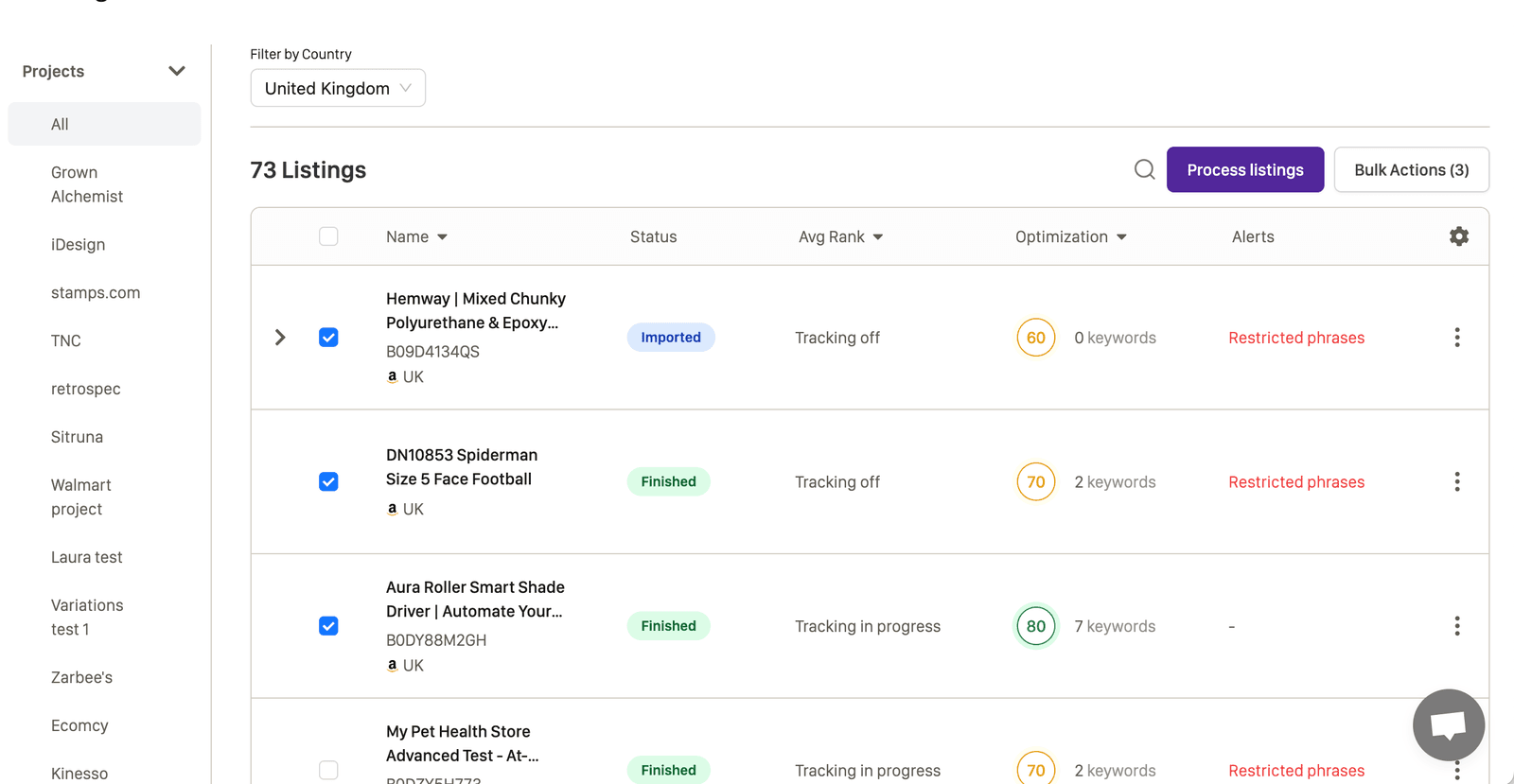
Start in the Perci dashboard and select the listings you want to expand. The source listings provide the product facts, approved brand language, and current listing structure for the new markets.
You can test one product, select a category, or choose the full catalog. Use Select All when the whole current result set should move into the translation workflow.
Step 2
Open the translation workflow
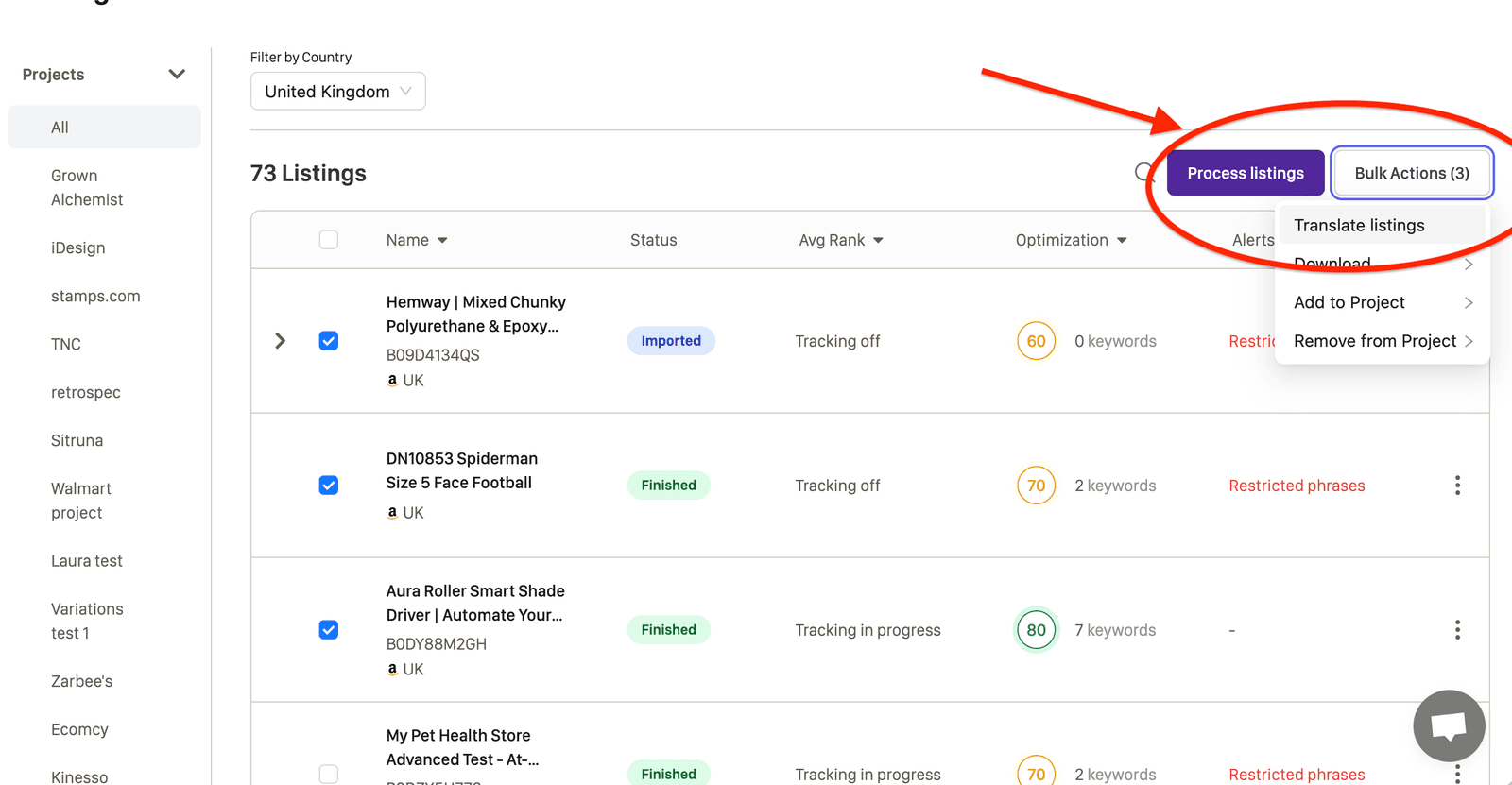
With the source listings selected, open Bulk Actions and choose Translate Listings. Perci carries the selected products into a guided marketplace setup.
Step 3
Choose the target marketplaces
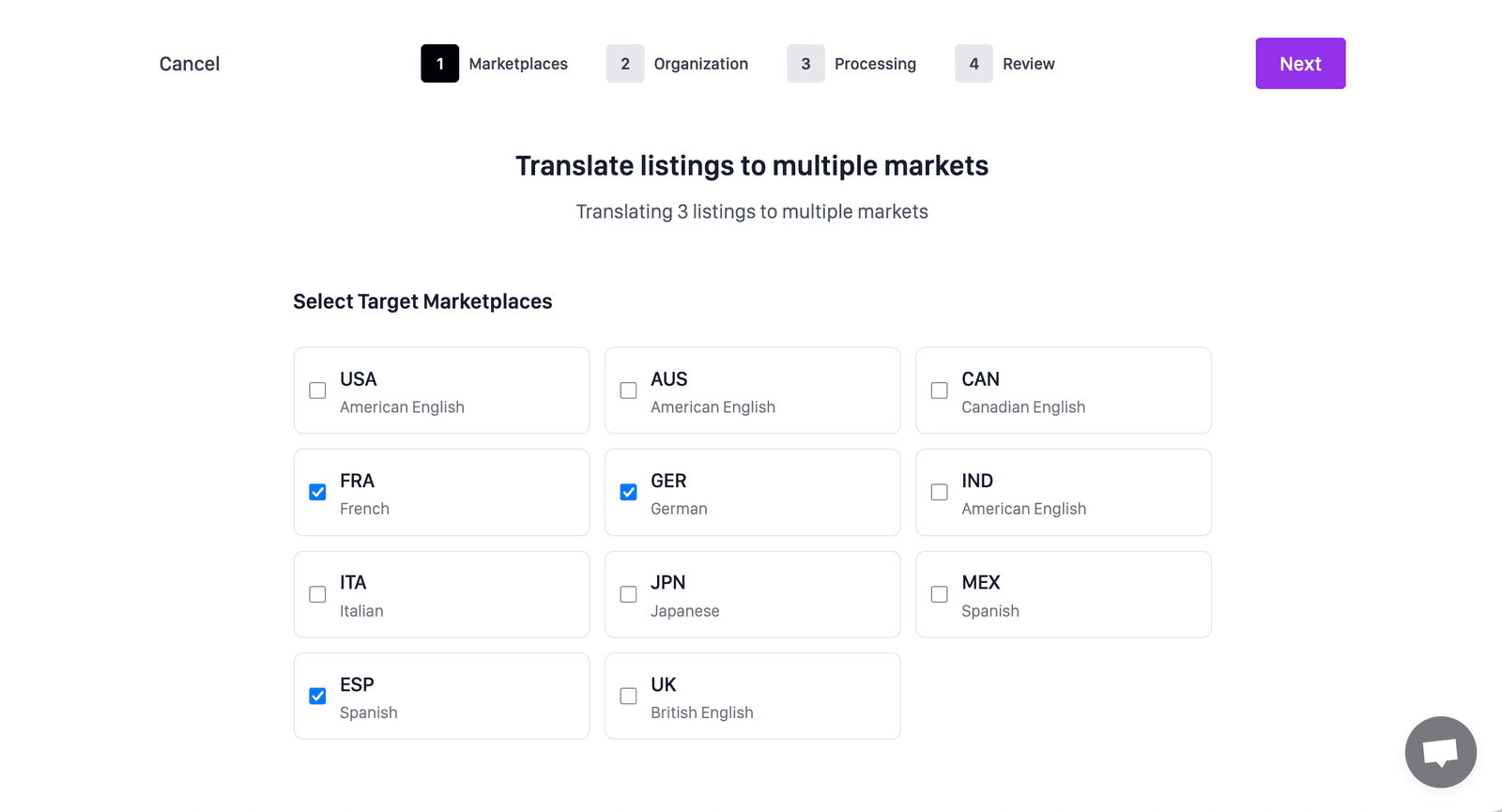
Select every country marketplace you want to prepare. Each source listing and target marketplace combination becomes its own localized listing, with research and copy tailored to that destination.
For a first expansion, a smaller market set makes review easier. Once the team is comfortable with the workflow and local approvals, the same process can be applied across a larger catalog.
Step 4
Organize the translation batch
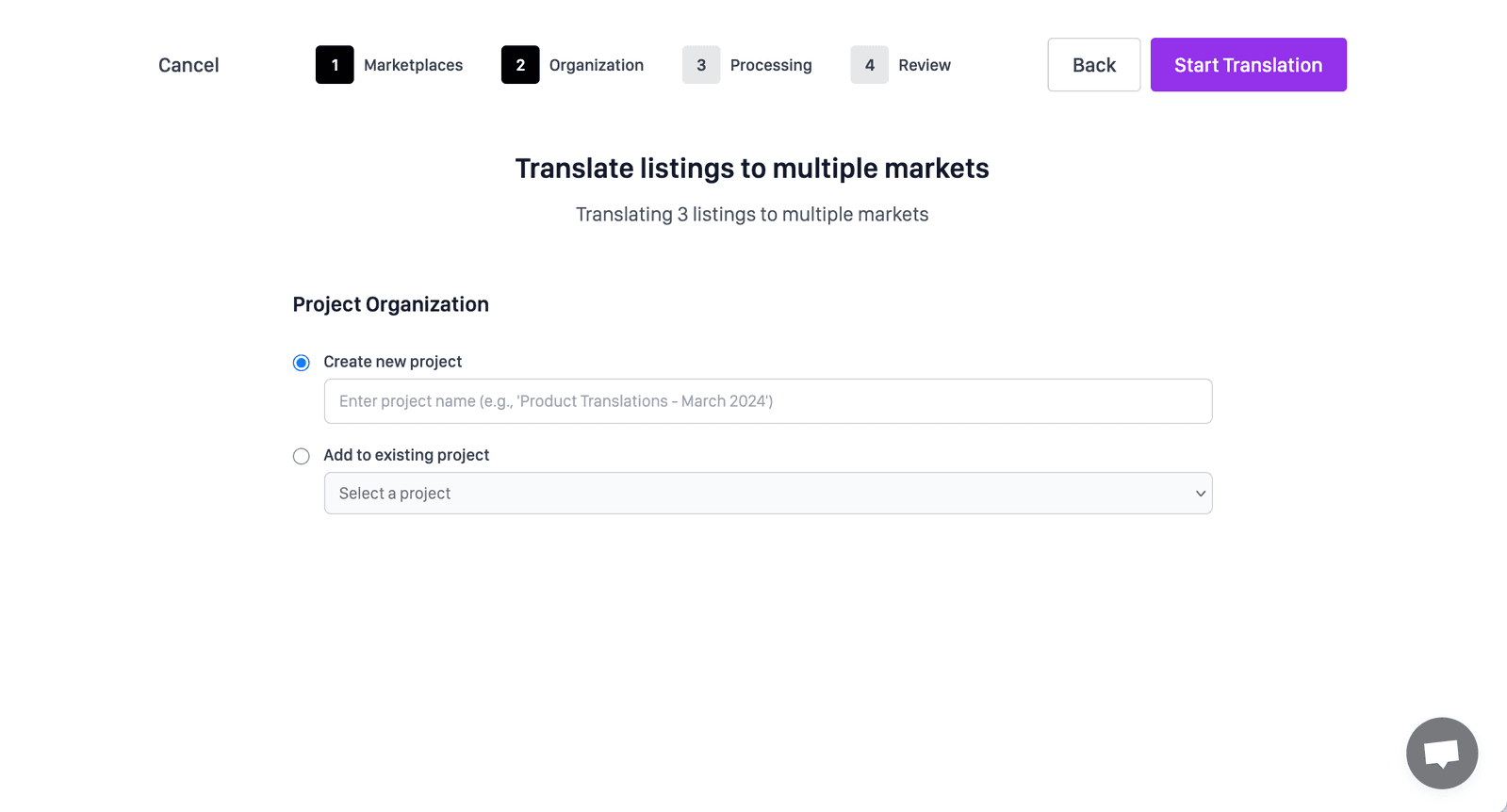
Choose where the new listings should live in Perci. Add them to an existing project, create a new project for the expansion, or skip project organization.
Projects are useful when you need to separate brands, regions, launch waves, agencies, or product categories and return to the translated listings later.
Step 5
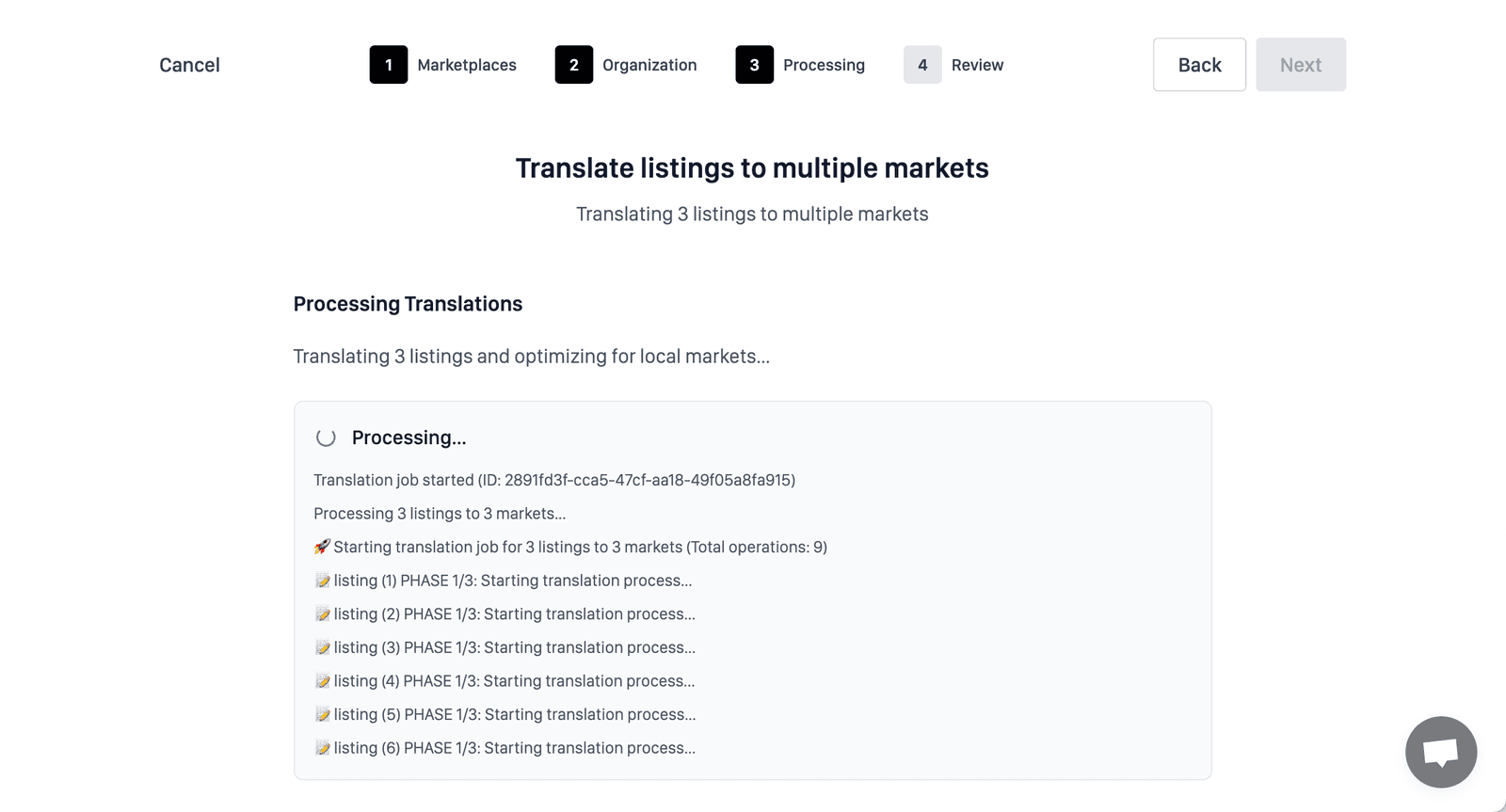
Let Perci translate, research, and localize
The processing screen follows three connected phases for every target marketplace.
Translation
Perci translates the product information, title, bullets, and description while preserving the product meaning and brand context.
Local keyword research
Perci researches how shoppers search for the product in the destination marketplace. It does not simply translate the source keywords, because the phrases with real search demand can differ significantly by country.
Marketplace optimization
The localized copy is built around the researched terms and adapted to marketplace-specific character limits, restricted phrases, spelling, grammar, and local conventions.
Step 6
Review and download the localized listings
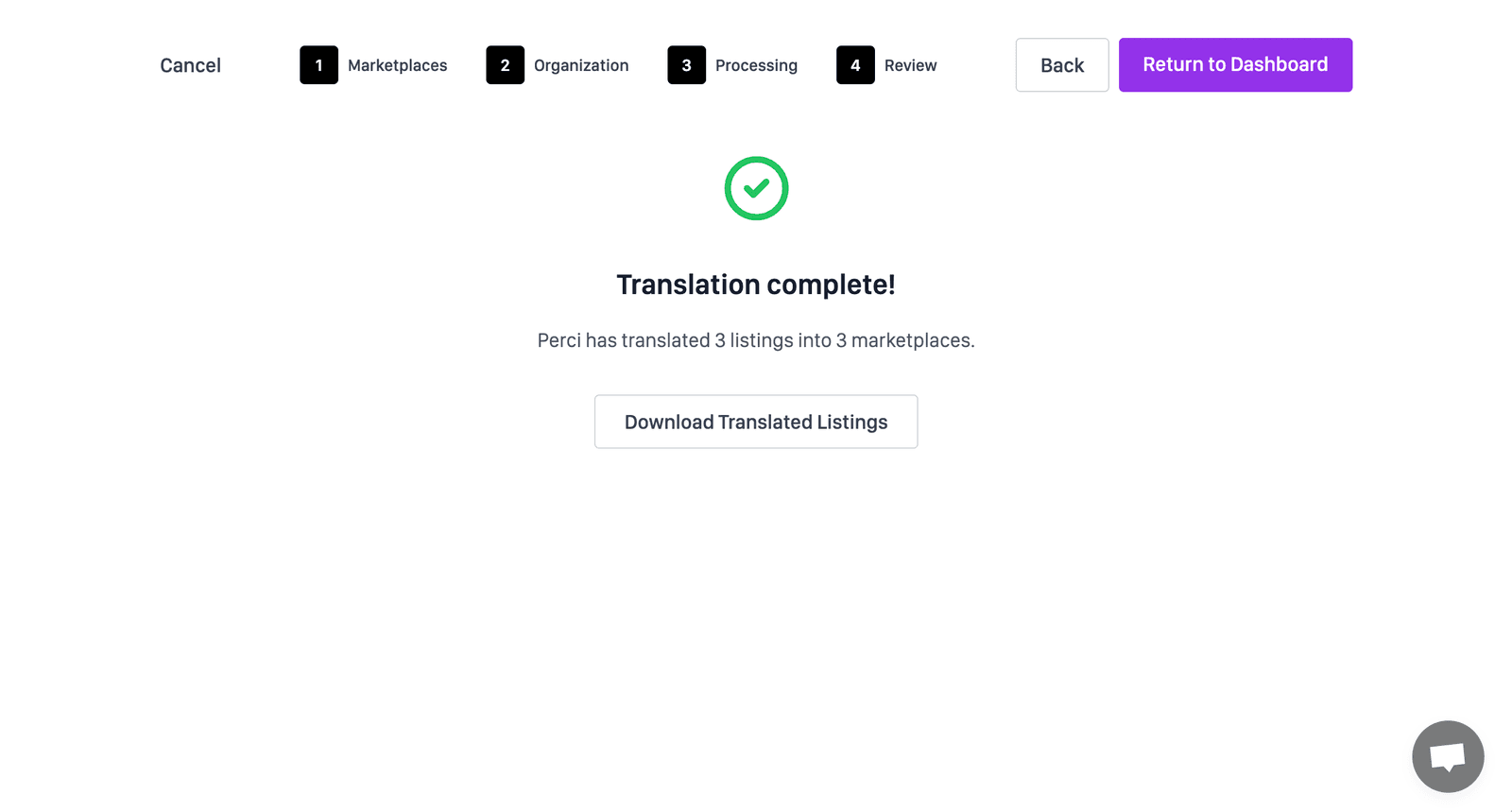
When processing finishes, Perci notifies you and makes the completed market-specific listings available for download. Review the localized copy and product data before deployment, especially regulated claims, measurements, compatibility, and variation structure.
Upload the approved catalog to each destination marketplace, monitor how the localized listings perform, and use that performance data to refine the next expansion batch.
Ready to expand
Prepare the first target marketplace
Start with a representative product group, validate the localized output with your market owner, and then apply the workflow to the rest of the catalog.
Translate listings with Perci →