
Parent-child listing optimization
Bulk processing Amazon variations
Process complete Amazon variation families without sorting every parent and child by hand. Perci detects the relationships, researches the family together, and generates consistent copy and structured output across every variation.
What Perci handles
- Automatic parent and child detection during import
- Family-level keyword and competitor research
- Variation values and attribute combinations
- Title lengths that account for child attributes
- Consistent bullets and descriptions across the family
- Parent-child output structured for Amazon
Step 1
Import the variation families
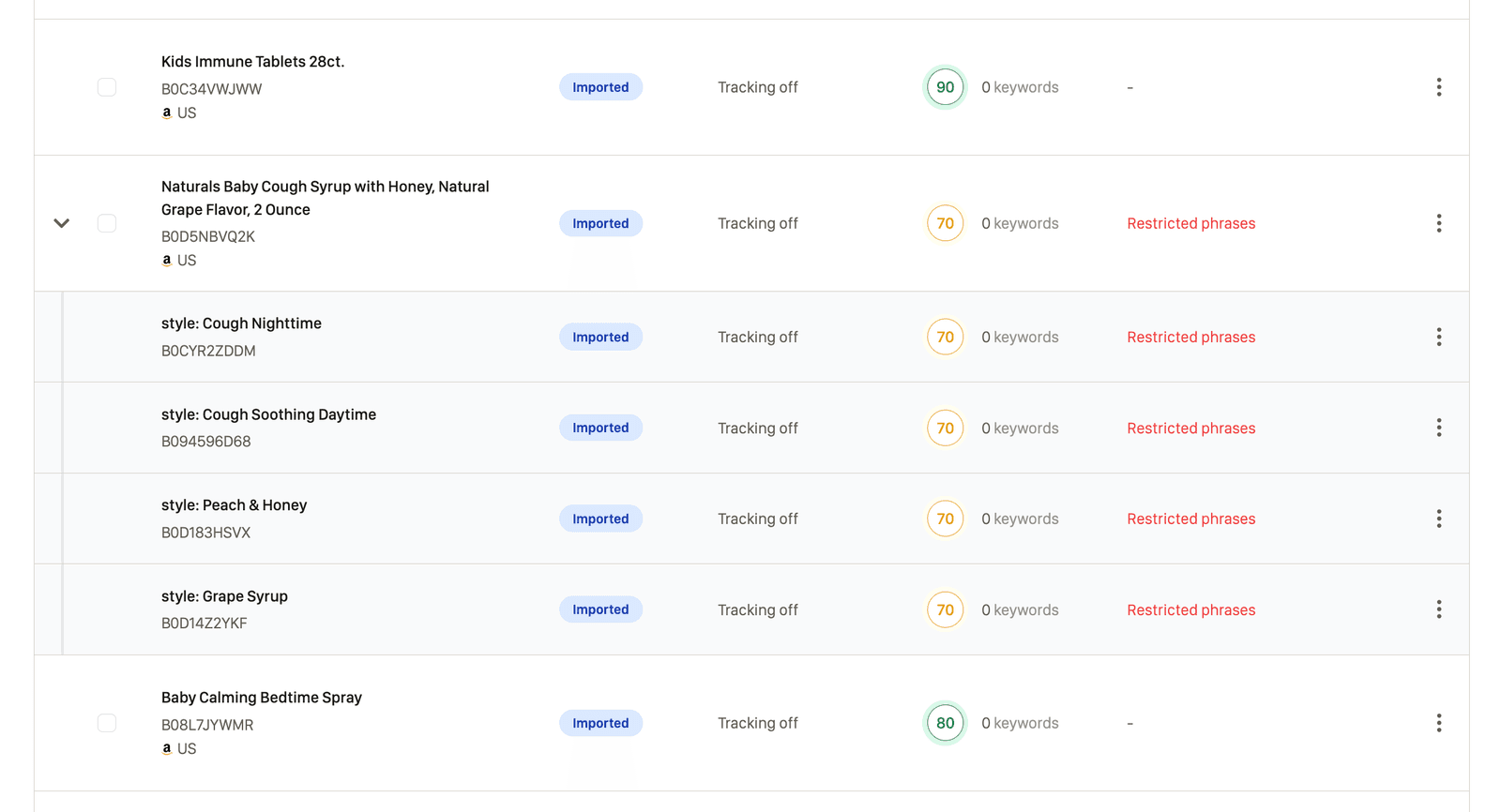
Import the catalog through an Amazon account sync, spreadsheet, or ASIN import. Perci scans the catalog data, detects parent-child relationships, and groups the variation families in the dashboard.
The family structure and available variation attributes travel with the listings, so you do not need to separate or manually sort every child before processing.
Step 2
Select the parent listings to process
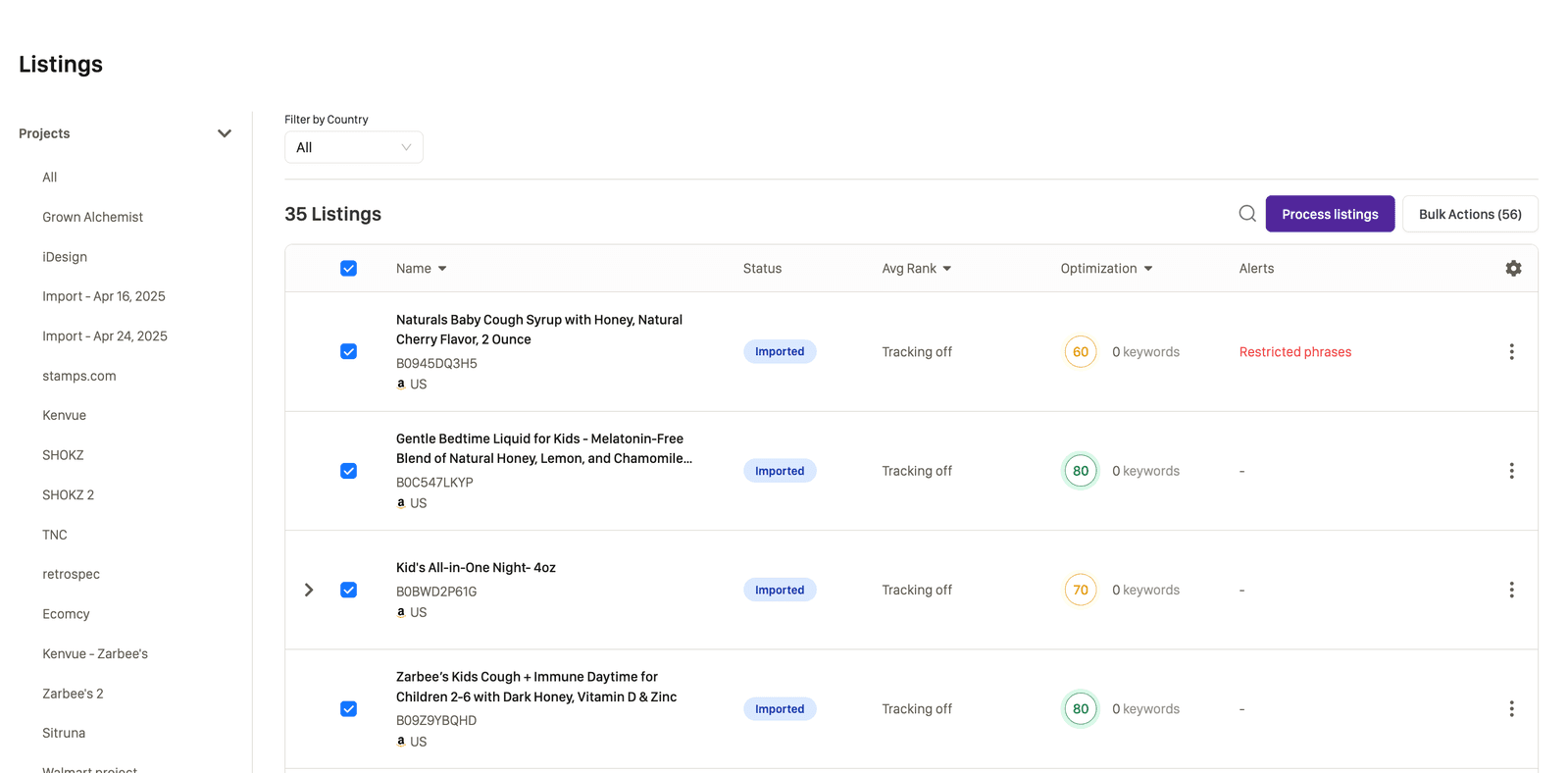
Select one or more parent listings in the dashboard, then start the keyword, copy, and attribute workflow from the bulk actions.
Perci includes the associated children automatically. Parent-child families and standalone listings can be processed in the same batch, so you do not need a separate workflow for each catalog structure.
Step 3
Research keywords across the product family
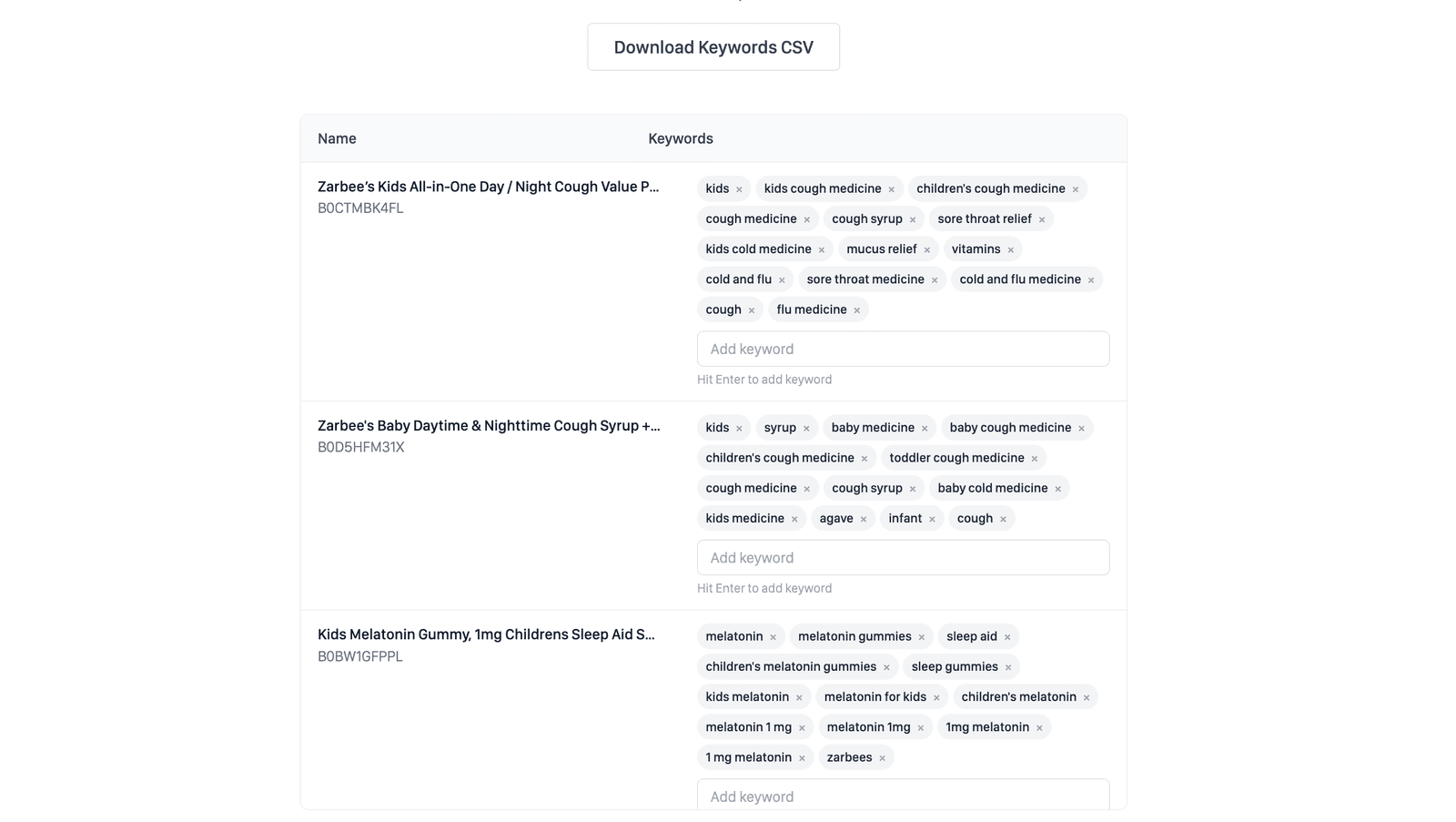
Perci researches keyword and competitor opportunities for the family as a whole. The goal is a coherent search strategy that applies to the shared product, rather than a disconnected keyword set for every size or color.
Review and approve the terms that accurately describe the family. Variation-specific values belong in the child data and titles, while the shared keyword set guides the common product copy.
Step 4
Review and customize the variation structure
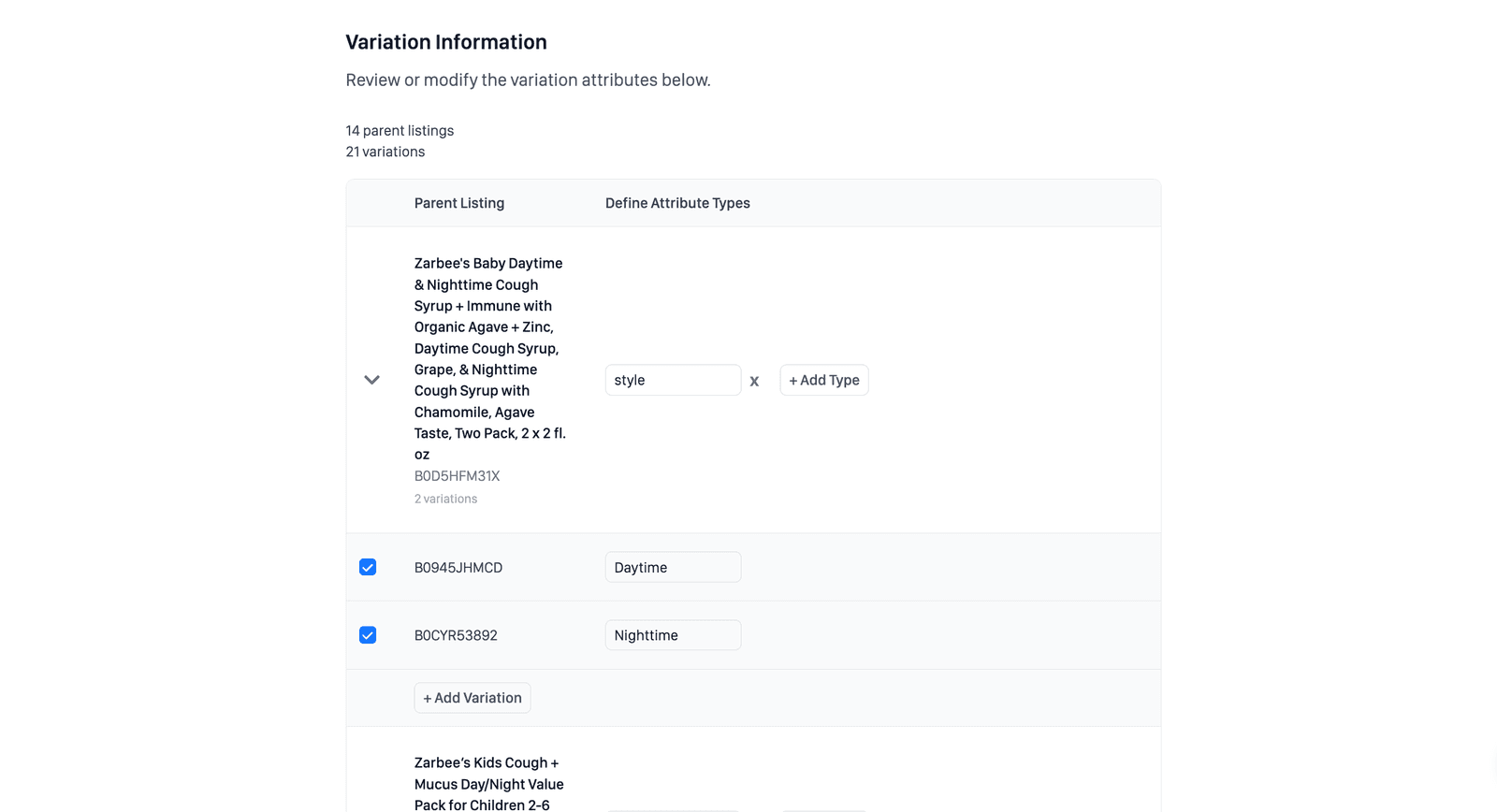
The variation review shows each parent and its child combinations in one table. Confirm the values before copy generation and make any changes the family needs.
You can edit existing child details, add a variation, add another variation attribute such as size or style, or exclude specific children from the processing batch.
Step 5
Generate variation-aware copy
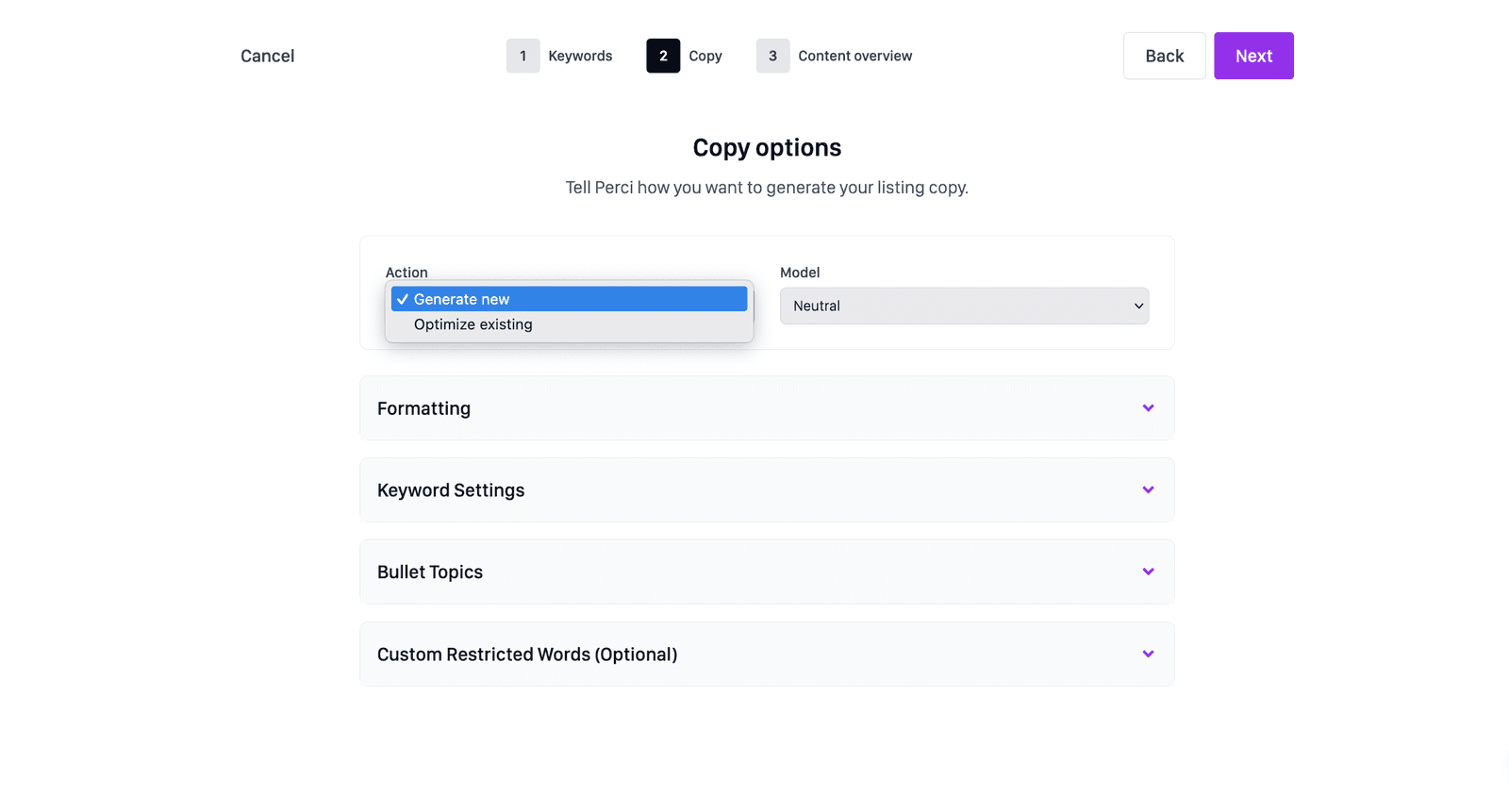
Choose how Perci should handle the current listing copy.
Generate new
Generate new creates an all-new title, bullets, and description. It is the most popular option, including for existing variation families, when you want to rebuild the listing copy from scratch.
Optimize existing
Optimize existing reworks the current copy to improve formatting and SEO coverage while retaining it as the starting point.
Parent and child titles
Perci accounts for the longest child attribute combination when building the title structure. It leaves enough room for child values, applies consistent formatting, and avoids variation titles exceeding Amazon's character limit.
Bullets and descriptions
The shared copy focuses on features and benefits that apply across the whole family, keeping the product story consistent as shoppers switch between variations.
Step 6
Review and prepare the family for Amazon
Review the generated parent and child content before approval. Confirm that the common copy applies to every child and that the variation values appear correctly in the child titles and attributes.
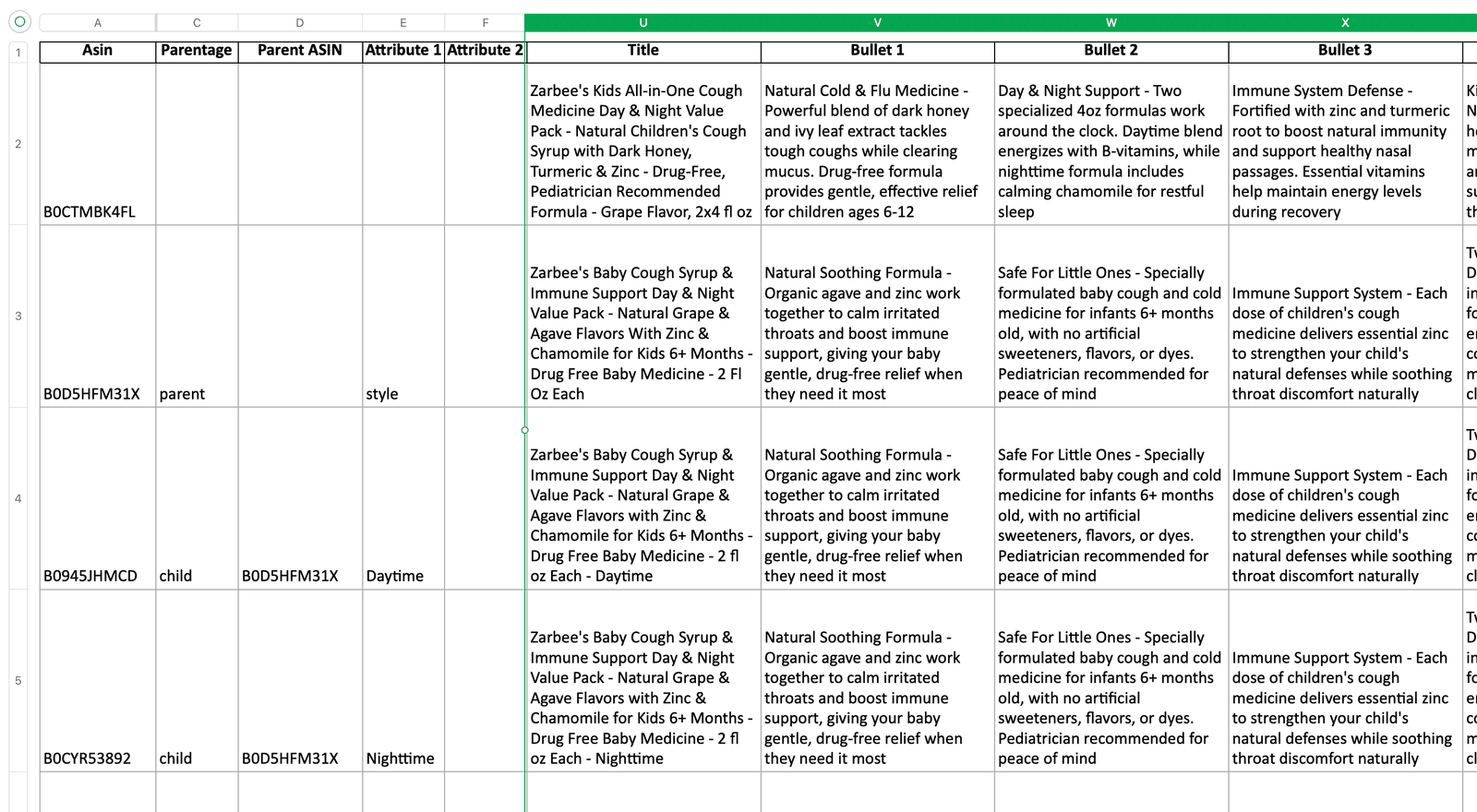
The output keeps the parent-child rows, relationships, variation attributes, and optimized copy in Amazon's expected structure.
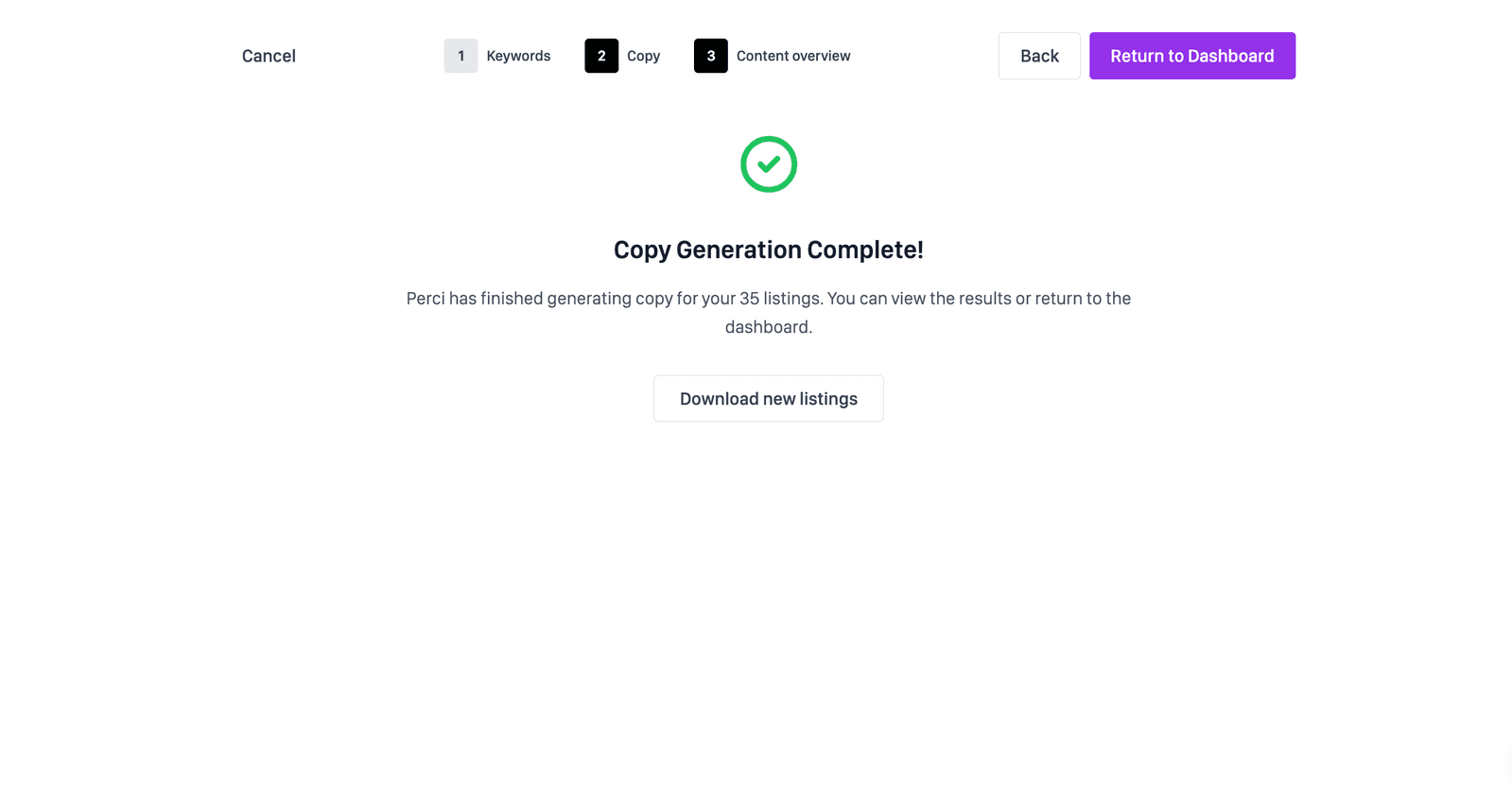
Download the structured output or continue into Perci's direct publishing workflow.
Ready to process the family
Keep every variation organized
Start with a representative parent family, verify its variation structure, and then apply the same workflow across the catalog.
Process variations with Perci →